


What is Web menu
It is the core of your website because it serves as the main navigation — the part every user interacts with. How quickly a user clicks “Buy” or “Order” button also depends on how clear and well-structured your menu is.
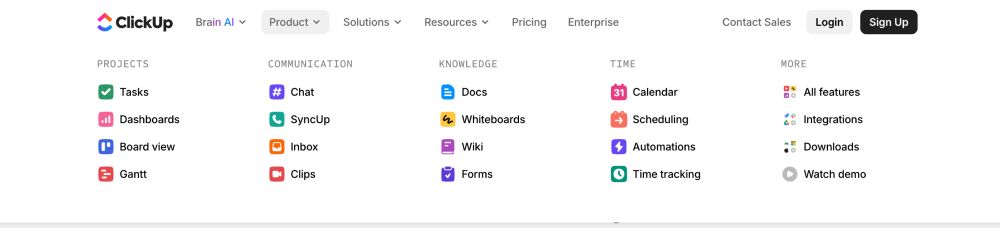
How does a menu influence your client?
- The client instantly understands where to find the information they need — this reduces confusion and creates a smooth user experience.
- The client quickly sees your key services, categories, and offers, which motivates them to explore deeper into the website.
- The client can easily reach important actions such as booking, pricing, or gift cards, increasing the chances they’ll complete the order.
- A clean, well-organized menu builds trust and makes your website feel professional and thoughtful — helping the client remember your brand and return again.
Simple, small, medium, big, very big.
The size and organization of your menu depends on how large and complex your website is. If your site offers many services and categories, be generous with your menu — use clear titles, subtitles, icons, and images. Promote your service right here
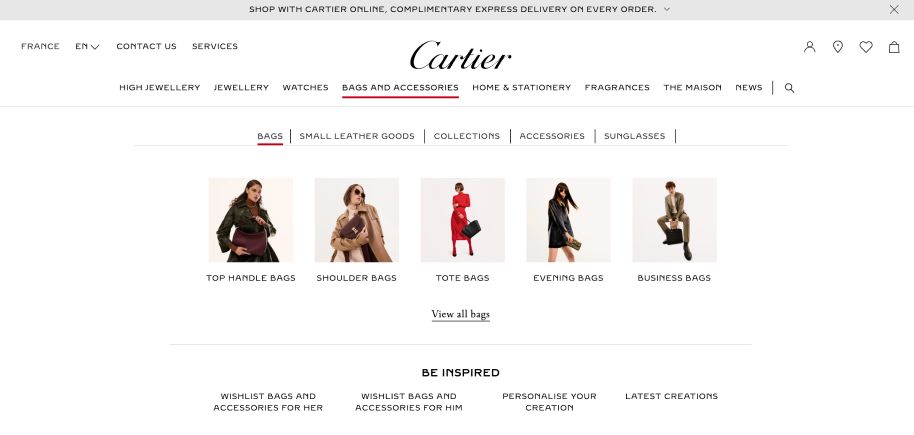
Creativity in details.
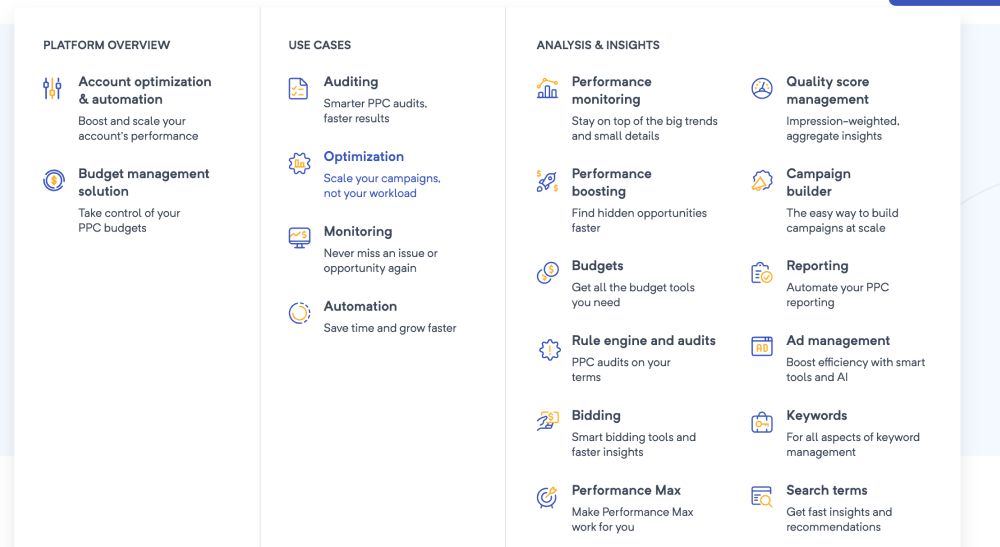
Look how this menu convinces users to use services — instead of boring titles, they describe the actual value of each feature. They don’t just name a section; they explain what it does for the user. This instantly feels more helpful, more engaging, and creates a stronger desire to click.
Types of menu:
- Full-Screen
- Left / Right Sidebar
- Top (Classic) Navigation
- Mega Menu (multiple columns, icons, images)
- Dropdown Menu
- Sticky Menu
- Split Menu
- Bottom Navigation
- Off-Canvas Menu
Want to create your own web design?
